Best AI Game Maker to create games using prompts
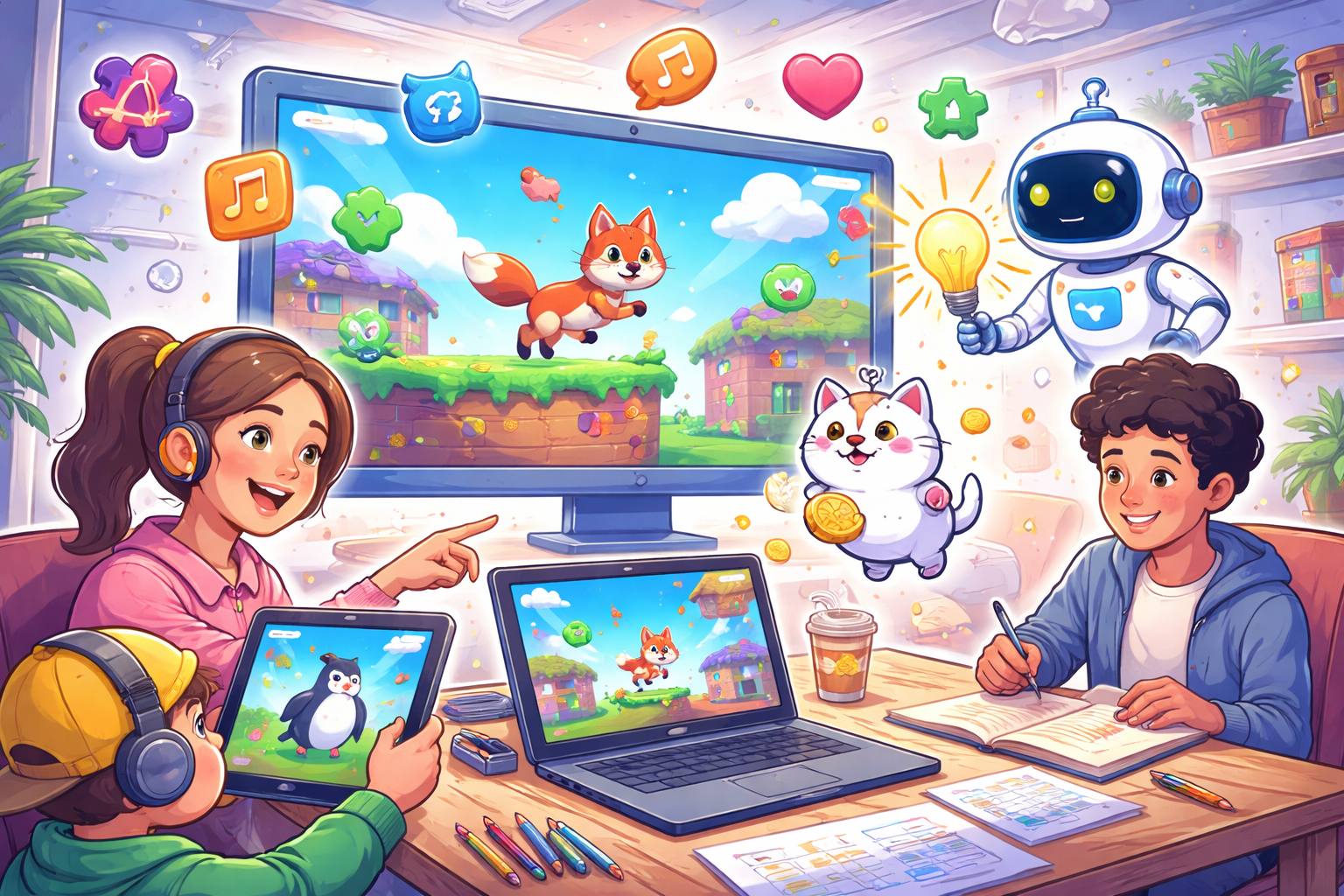
The best way to create games using prompts right now is through tools that let you describe your idea in plain words, then turn those words into a working game without writing any code. This approach makes game creation open to anyone, kids, hobbyists, teachers, parents, or anyone with an idea but no programming background.
In 2026, prompt-based game makers like Astrocade have become much better. They handle everything from simple 2D adventures to casual puzzles, platformers, or even basic 3D scenes. The key is describing what you want clearly, then making small changes until it feels right. This guide explains how it works, what to expect, step-by-step instructions, tips for better results, common problems, and ways to share your finished game. The goal is to help you solve the main problem: turning your game idea into something playable fast and easily.
Why Prompt-Based Game Creation Works So Well Now
Traditional game-making requires learning complex software, drawing skills, or coding languages. That stops most people before they start. Prompt tools change this by using smart systems that understand everyday language.
You type something like: “A side-scrolling platformer where a cat jumps over boxes to collect fish, with colorful cartoon style and upbeat music.” The tool builds the basic setup, characters move, objects interact, levels appear, and sounds play. We created this exact game using a prompt. Check it out and play Super Cat Bros here. Now it’s your turn to try one!. You don’t drag items or type commands; you just describe and refine.
These tools shine for quick ideas, fun projects, family games, or testing concepts. They focus on casual games: short sessions, easy to pick up, hard to master. Many let you play right in the browser, no downloads needed.
What Kinds of Games Can You Make with Prompts?
Most AI game-generating tools excel at these types:
- 2D platformers: Jump, run, collect items.
- Puzzle games: Match colors, solve mazes, push blocks.
- Endless runners: Dodge obstacles while moving forward.
- Simple adventures: Explore rooms, talk to characters.
- Arcade classics: Like pong, breakout, or flappy bird styles.
- Basic 3D walkers: Walk around a small world (though 2D is smoother and faster).
Complex games like open-world RPGs or multiplayer shooters are harder with pure prompts; they need more manual tweaks. Start small for the best experience.
How to Create Your First Game Using Prompts
Pick a clear, simple idea
Start with one core action. Example: “A bird flies through pipes, tapping to flap wings, avoid hitting them.” Keep it to one main mechanic plus a few extras like score or sounds.
Write your starting description
Be specific but not too long at first. Good example:
“Create a fun endless runner game. A cute fox runs automatically to the right. Player taps screen to jump over logs and collect golden coins. Cartoon forest background, sunny day, cheerful music. Simple controls for mobile or web.”
Bad example: “Make the best game ever with lots of levels and story.” (Too vague, results will be messy.)
Enter the prompt and generate
Most AI game creation tools have a simple text box or chat area where you type your idea. Just hit the Create button. In just a few seconds to a minute, the tool shows you a preview, or often a fully playable version right there in your browser.”
Play and test it immediately
Try it out. Does the character move right? Are jumps fun? Note what feels off.
Make changes with follow-up prompts
This is where the magic happens. Say:
- “Make the fox jump higher and add a double jump.”
- “Change the background to a snowy mountain and add falling snow.”
- “Slow down the running speed and make coins sparkle.” Each time, the tool updates the game based on your words.
Add polish
Ask for extras:
- Sounds: “Add coin collect sound and jump whoosh.”
- Visuals: “Make characters brighter with rounded edges.”
- End screen: “Show game over with score and restart button.”
Save, play, and share
Many tools let you get a link to play anywhere. Some allow exporting or publishing so friends can try it.
Repeat steps 5-6 until you’re happy. A full game can take 10-60 minutes for simple ones.
Tips for Writing Better Prompts (Get Results Faster)
- Be detailed about actions: Say “player presses space to jump” or “tap screen to shoot bubbles.”
- Describe style early: “pixel art retro,” “bright cartoon,” “minimal black and white.”
- Include win/lose conditions: “Game ends if player hits enemy; show high score.”
- Use examples: “Like Super Mario but with a penguin instead of a plumber.”
- Break big changes into small ones: Fix one thing at a time instead of rewriting everything.
- Ask questions: Some tools let you say “What can I add next?” for ideas.
- Start simple, add later: Build the core loop first, then extras.
Good prompts lead to fun games; vague ones lead to frustration.
Common Problems and How to Fix Them
- Game feels broken or buggy, Refine controls: “Fix jumping so it doesn’t stick” or “Make collisions smoother.”
- Looks wrong, Change style: “Switch to hand-drawn look” or “Use realistic colors.”
- Too hard/easy, Adjust speed or size: “Make obstacles farther apart” or “Increase player speed.”
- Prompt ignored. Rephrase clearly. Tools sometimes miss details, repeat or emphasize.
- Takes too long to generate: Use shorter prompts first; add details gradually.
Patience helps. First tries might not be perfect, but each change improves it.
Sharing and Playing with Others
Once done, get a shareable link. Send it to friends or family via message or social media. They play in the browser, no install needed.
Some platforms let you:
- Add your name or title.
- See play counts.
- Get feedback comments.
- Make it public for anyone to find.
This makes it great for birthdays, school projects, or just fun weekends.
Who Benefits Most from This Approach?
- Beginners who want to try game ideas without years of learning.
- Parents make games for kids.
- Teachers are creating educational games (math puzzles, word games).
- Hobbyists are testing concepts fast.
- Anyone who thinks “Wouldn’t it be cool if…” but never starts.
You don’t need art skills, music knowledge, or tech setup, just words and imagination.
Final Thoughts: Start Small and Have Fun
The best prompt-based game maker is the Astrocade. You describe a simple idea, generate it, tweak it, play it. In minutes, you will have a real game that didn’t exist before.
Game creation used to feel out of reach due to programming. But now it’s as easy as telling a story. Your first game might be basic, but that’s the point, start playing with ideas. The more you describe and adjust, the better it gets.