Slash Your L&D Budget by 70%: Why You No Longer Need Professional Studios for Corporate Training
In 2026, corporate L&D is no longer about how many hours employees spend in traditional training studios or how polished a course looks. Modern organizations are shifting toward smarter and more cost-effective solutions. That’s where Vidnoz AI comes in. With its AI-powered video creation tools, companies can produce professional-quality training content quickly and efficiently. From interactive tutorials to onboarding experiences, Vidnoz AI enables L&D teams to scale learning programs, reduce reliance on expensive studios, and cut training budgets by up to 70%, all while keeping employees engaged and motivated.
Part 1: Overview of Vidnoz AI
Vidnoz AI is one of the best AI video creation platforms available online, enabling companies to produce training and onboarding content within seconds. The program uses a text-to-video feature to generate high-quality learning materials without the need for cameras, studios, or large production teams. It offers a wide range of customizable templates, allowing organizations to tailor content for different departments, roles, and learning styles. Additionally, Vidnoz AI is certified with ISO/IEC 27001:2022 for Information Security Management. Beyond just video creation, Vidnoz AI supports a wide range of AI tools, including AI Voice Changer, Online Video Editor, AI Text to Video, AI Headshot Generator, and AI Video Enhancer. Its intuitive interface allows L&D teams to produce polished, professional videos without any prior technical expertise.
Part 2: Key Features That Make Vidnoz AI Stand Out
The program transforms corporate training by simplifying video creation and more. Here are the top features that make Vidnoz AI an amazing tool for corporate training:
- Customizable Templates: Vidnoz AI offers 2800+ video templates, allowing users to create various types of videos, including training, how-to guides, tutorials, product demos, online courses, and more. Plus, Vidnoz AI also enables companies to design custom templates according to their requirements.
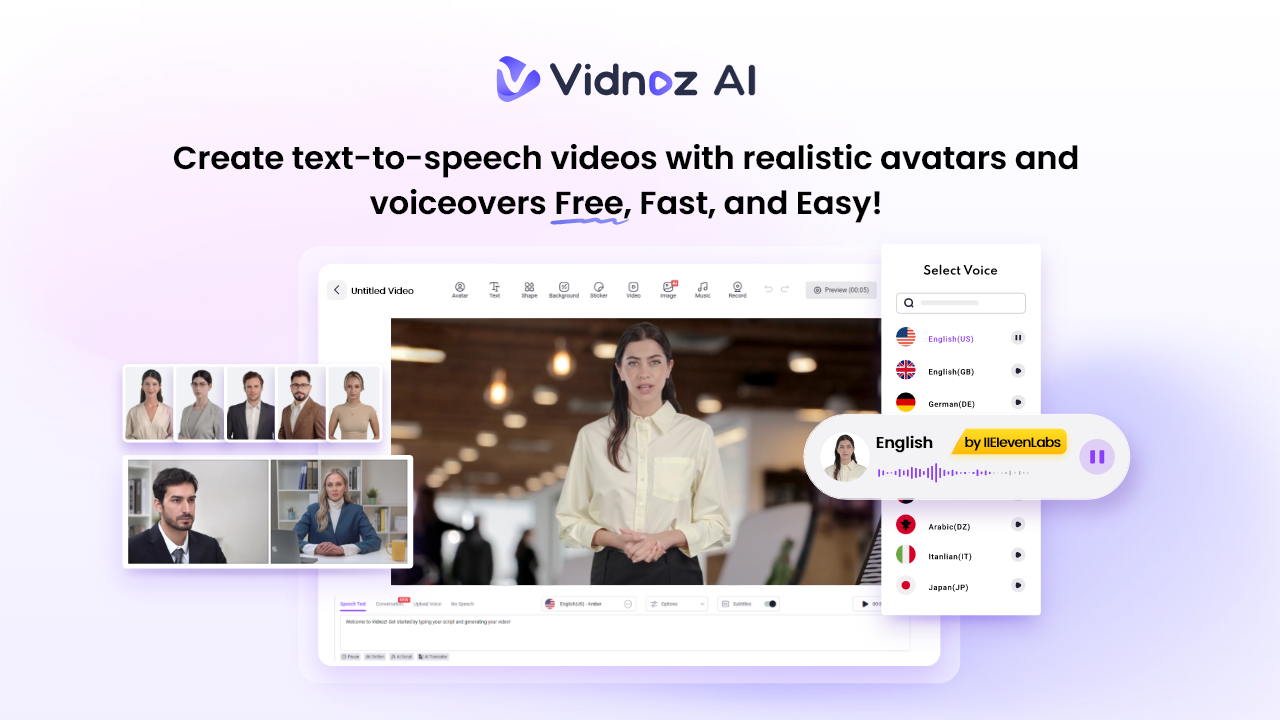
- Realistic AI Avatars: It includes 1900+ lifelike avatars, each from different industries and roles. It offers avatars of doctors, nurses, hosts, customer supporters, chiefs, teachers, students, and more. In addition to a library of realistic avatars, Vidnoz AI includes the Avatar Lite feature, enabling users to generate digital twins, and Avatar Pro offers deeper customization.
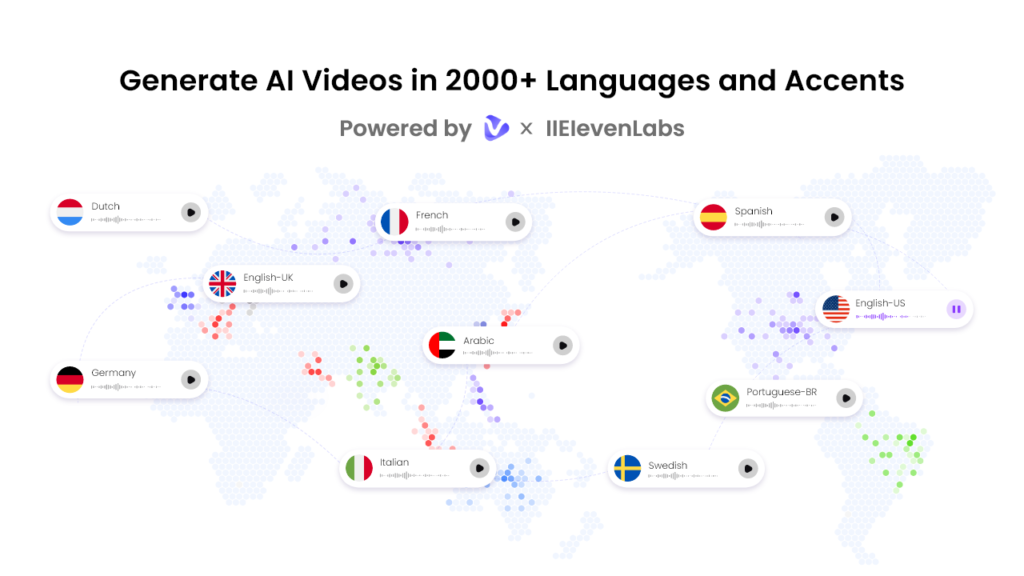
- Amazing AI Voices: This tool provides 2000+ natural-sounding AI voices in 140+ languages, each with unique accents and characteristics. All voices are powered by ElevenLabs, Google, and Microsoft. The lip-syncing AI voiceovers can perfectly match the text script with accurate lip movements and tone.
- Free Version: With the help of Vidnoz AI, companies can generate high-quality and professional-looking training videos without spending a single penny. The free version of this program includes 60 credits, text-to-video, Avatar Lite, AI voice changer, and more.
- AI Video Wizard: No Professional help required? Yes, with Vidnoz AI, users can generate high-quality videos with a simple text prompt or any source material. No professional-help or editing experience required to use the program.
Part 3: Vidnoz AI Use Cases in Corporate Training
Vidnoz AI isn’t just a tool for creating videos — it’s a versatile solution that can transform multiple aspects of corporate learning. Here’s how companies can use this program:
- Onboarding Videos: The program enables users to create professional-quality training videos for onboarding new hires, accessible anywhere in the world.
- Training Videos: Vidnoz enables users to generate videos in 140+ languages, including English, Chinese, Russian, Turkish, and more. Companies can create multilingual content for onboarding and skill development.
- Communications and Announcements: This tool allows companies to replace lengthy emails, static slides, or text-heavy memos with engaging video messages. Leadership can deliver updates, project announcements, or policy changes in an appealing and interactive format.
Part 4: How to Generate High-Quality Training Videos With Vidnoz AI
The program offers an intuitive interface, allowing users to generate high-quality training videos with simple steps. Here is how to do it:
- Open your web browser and go to Vidnoz AI’s official site. Click on the “Create Free Video Now” button to begin the video creation process. Choose Templates and Avatars.
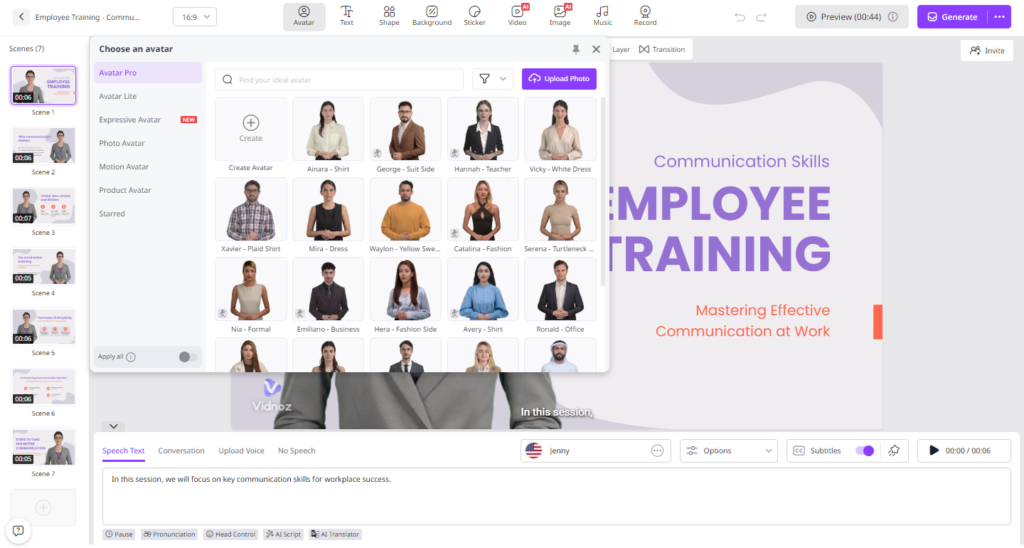
- Input your video script and select the AI voice. Vidnoz AI enables users to generate videos in 140+ languages, including English, Chinese, Japanese, Korean, and more.
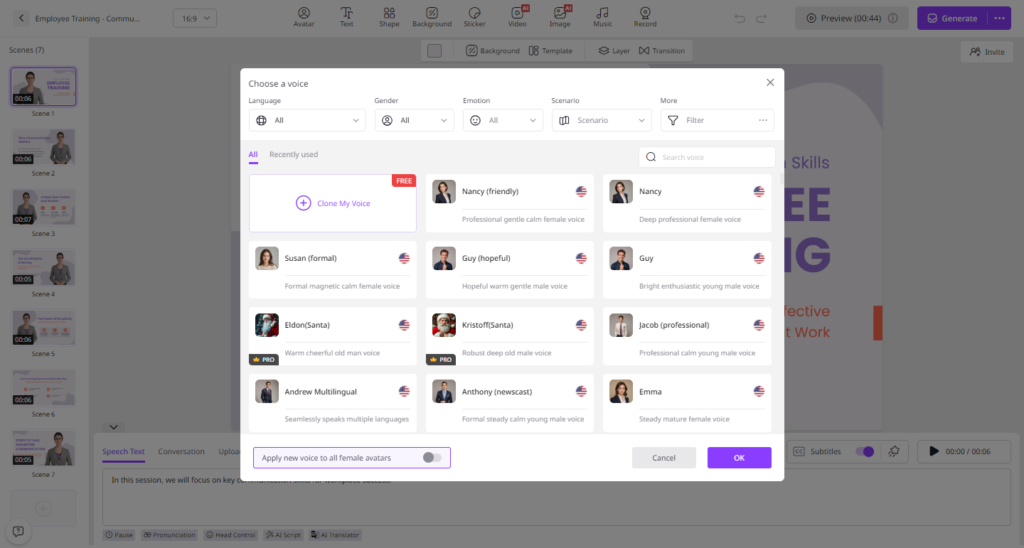
- Next, use the online video editor to customize it according to your company’s needs. You can add logos, text, change backgrounds, and more.
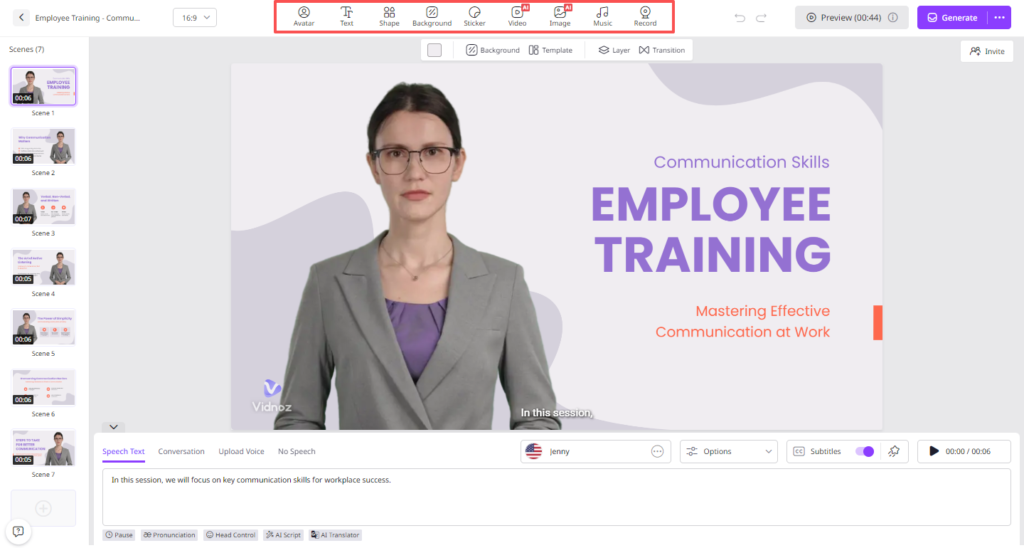
- Once all the requirements are complete, click on the “Generate” button. Within a few seconds, your AI video will be ready. Preview it and if satisfied with the result, click on the “Download” button.
Final Thoughts
Vidnoz AI revolutionizes corporate training by making high-quality, multilingual, and interactive videos accessible without expensive studios or technical expertise. By streamlining content creation, enhancing engagement, and enabling scalability, organizations can cut L&D costs by up to 70%, empowering teams to focus on employee growth and business impact.